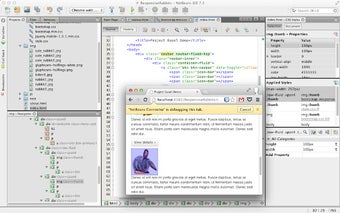
NetBeans Connector: Deep Integration Between NetBeans IDE and Google Chrome
The NetBeans Connector is a free add-on that provides deep integration between the award-winning NetBeans IDE and the Google Chrome browser. Developed by the NetBeans team, this extension offers a seamless connection between the two platforms.
Top Recommended Alternative

NetBeans IDE is well-known for its comprehensive set of development tools for JavaScript and HTML5. With the NetBeans Connector, developers can benefit from features such as code editing, debugging, live styling, development with iOS and Android devices, and more. This integration allows for a smooth workflow between the IDE and the Chrome browser.
Key features of the NetBeans Connector include the ability to refresh on save, live DOM navigation directly from within the IDE, and bi-directional element inspection. Developers can click on elements in the browser and see them in the IDE, and vice-versa. Additionally, JavaScript debugging of applications using Remote WebKit APIs is supported.
The NetBeans Connector also offers visual CSS style editing of all page elements, including JavaScript-generated elements. Developers can easily resize their applications to view them at various pre-defined sizes, such as smartphone or tablet sizes, or define custom sizes. Furthermore, network monitoring for web services and Web Socket traffic is available.
With its deep integration and wide range of features, the NetBeans Connector is a valuable tool for developers working with both the NetBeans IDE and the Google Chrome browser.